
Quesvio
Start free — upgrade when your volume grows
Video interviews with AI-ready reports
Start free, then choose a personal or business plan when you need more interviews,
questions, seats, or retention. Built for asynchronous candidate screening after resume review.
Video answers
Interview templates
Transcript + summary
Shareable reports
Video-first question flow
In progress
Intro & expectations
1 min • video prompt
Technical experience
3 questions • recorded answers
Problem solving
timed answer • transcript ready
Team communication
behavioral question
AI-ready report
Video interview • transcript • subtitles • AI-ready summary
Invite sent
Unique candidate link delivered automatically by email
Save interviewer time
Start from predefined interview templates instead of rebuilding the same process every time.
Candidates answer asynchronously, so your team reviews only the strongest responses.
Structured and consistent
Reuse standardized questions, timing, and interview flows across roles and levels.
That makes candidate comparison much cleaner and fairer.
Reports built to share
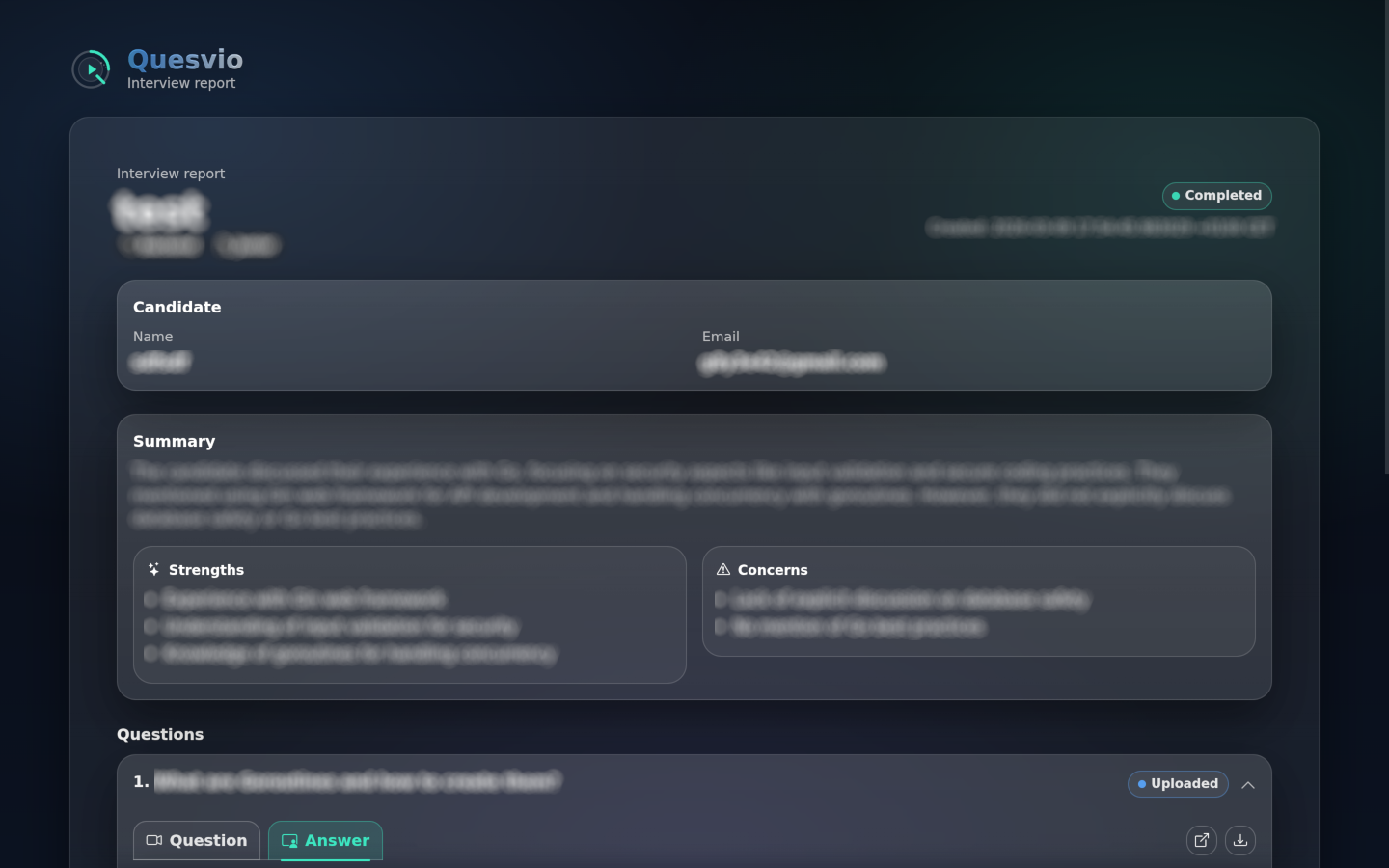
Each completed interview turns into a clean report page with answers, transcripts,
subtitles, and AI-generated summary — ready to send by unique link.
Product overview
Built for real hiring workflows
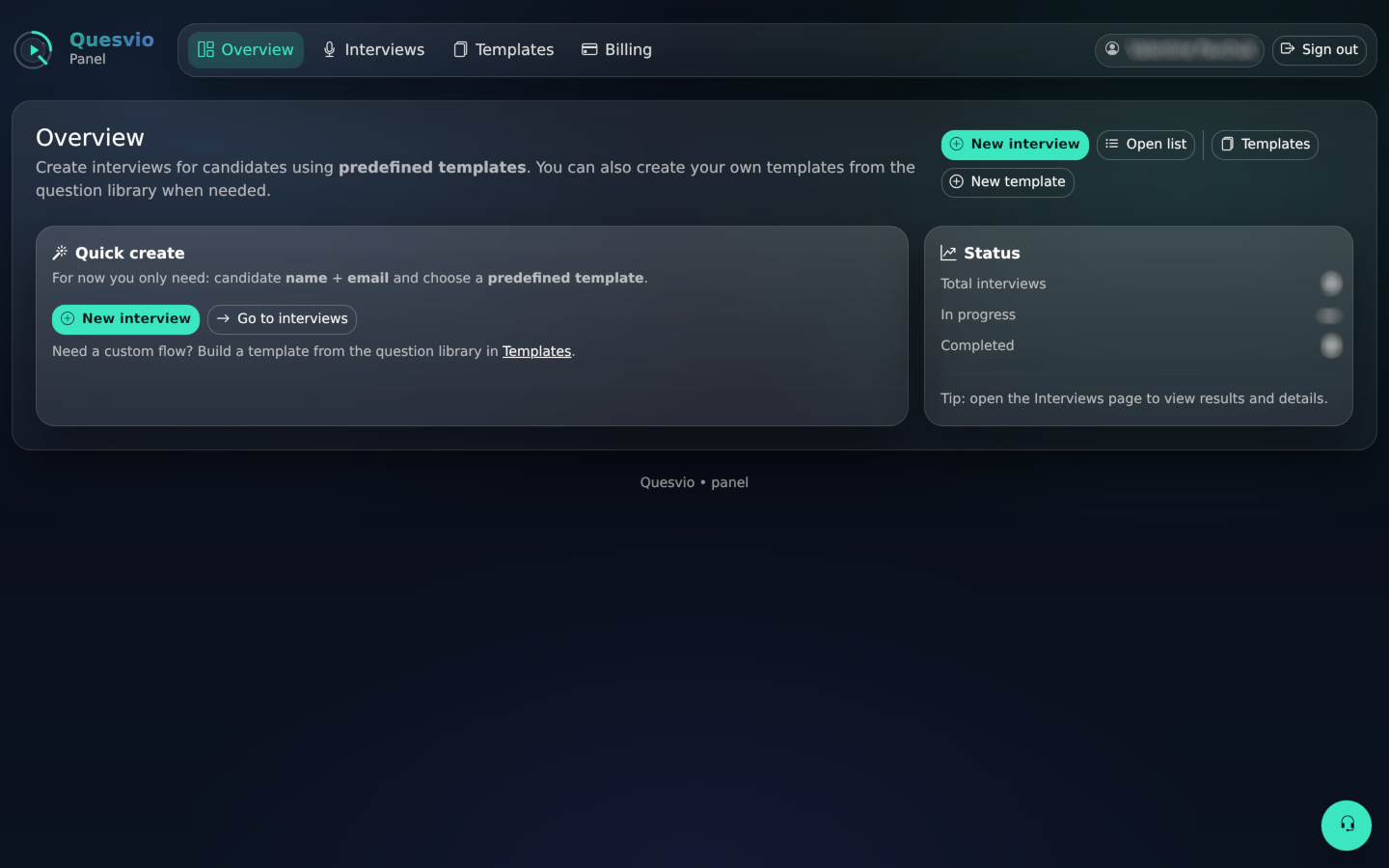
Quesvio combines templates, browser-based candidate recording, transcripts,
subtitles, automated summaries, and a report page that your team can review without friction.
Huge library of predefined interview templates
Create custom screening templates from the existing question bank
Automatic candidate email invitation flow with unique links
Transcript + subtitles + LLM summary after candidate answers
Workflow
From template to report
One clear flow for interviewers and candidates.
1
Choose template
Pick from predefined interview flows or create one from your question library.
2
Invite candidate
Generate screening and send a unique link automatically by email.
3
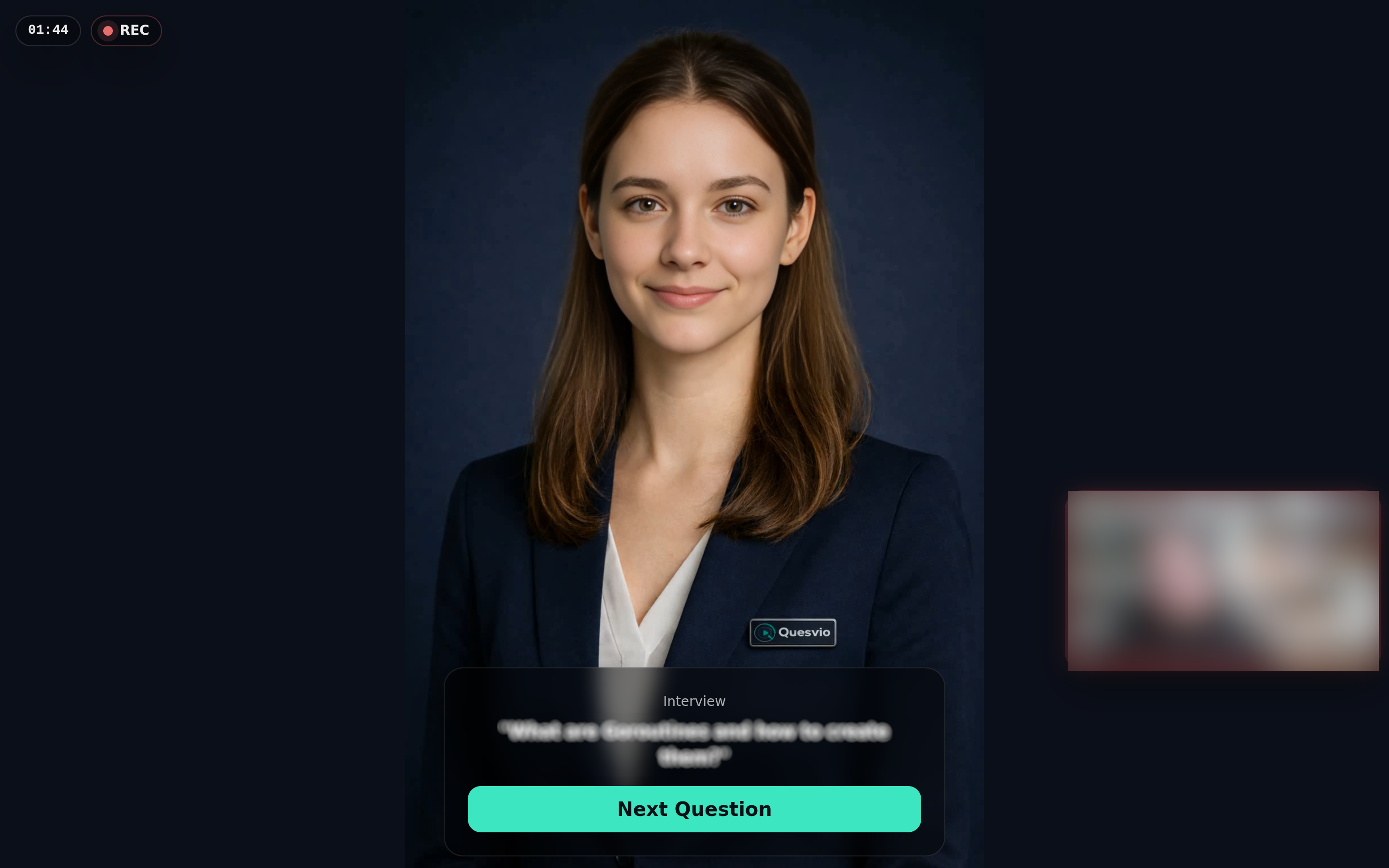
Candidate records answers
Collect candidate answers without live calls through a browser-based video flow.
4
Review report
Watch answers, read transcript, use subtitles, and share the report link with your
team.
For recruiters
Screen more candidates without extra calls
Use asynchronous candidate screening to qualify candidates faster after resume review and forward the best
reports to hiring
managers.
- Less scheduling overhead
- Consistent candidate experience
- Easy report sharing
For hiring teams
Review answers when it fits your schedule
Watch only the candidate answers that matter, compare responses, and use transcripts and summaries for
faster evaluation before live interviews.
- Video + transcript in one place
- Better handoff between recruiter and manager
- Works with self-hosted infrastructure
Infrastructure
Simple, practical, hosting-ready
Quesvio is designed for teams that want a fast workflow and clean ownership of interview data.
Flexible infrastructure
Built for reliable media storage and scalable interview workflows.
Media-rich reports
Question and answer videos available directly on report page.
Transcript pipeline
Automatic transcript generation with subtitles support.
LLM summaries
Summaries help speed up report review and comparison.
3
Core steps
1
Shareable report link
∞
Question library
AI
Summary ready
FAQ
Common questions
No. You can start free with limited usage and upgrade only when you need more interviews, questions,
seats, or team-oriented capacity.
Yes. Quesvio is designed around predefined interview templates, and you can also build your own templates
from existing questions.
Candidates receive a unique link and record answers directly in the browser. No complicated setup is
required.
The report can include answer videos, transcript blocks, subtitles, and an AI-generated summary —
all shareable by a unique link.
Yes. Quesvio is built with flexible infrastructure in mind and fits teams that want more control over how
interview data is managed.
Pricing
Pricing that fits your hiring workflow
Choose personal plans for solo screening or business plans for team hiring. Free access is available after
signup with limited usage, so the landing page focuses on plans that unlock higher capacity.
For solo recruiters, freelancers, career coaches, and small hiring tasks using private Google/Gmail accounts.
Personal Starter
Solo
$30/mo
For solo recruiters, freelancers, and career coaches.
- 1 user
- 5 custom interview templates
- 10 custom questions
- 60 interviews per month
- 30 days of video storage
Choose Starter
You will be asked to sign in or create an account if needed.
Personal Pro
Most popular
$60/mo
For active solo screening and higher monthly volume.
- 1 user
- 10 custom interview templates
- 10 custom questions
- 120 interviews per month
- 30 days of video storage
Choose Personal Pro
You will be asked to sign in or create an account if needed.
For company workspaces that need seats, shared templates, structured candidate screening, and higher volume.
Team Pro
Small teams
$30/mo
For teams starting structured candidate screening.
- 5 users
- 10 custom interview templates
- 10 custom questions
- 150 interviews per month
- 30 days of video storage
Upgrade to Team Pro
You will be asked to sign in or create an account if needed.
Business
Higher limits
$100/mo
For growing teams with more interviews, templates, and seats.
- 10 users
- 20 custom interview templates
- 20 custom questions
- 300 interviews per month
- 60 days of video storage
Upgrade to Business
You will be asked to sign in or create an account if needed.
Start free after signup with limited usage. Upgrade when you need more interviews, questions, seats, or retention.
Ready
Start creating interviews
Sign up to access the panel, generate screening invite links, collect video answers, and share candidate reports
with your team.